The Best 3D Printer for Beginners: 2026 Buying Guide
Direct Answer Summary
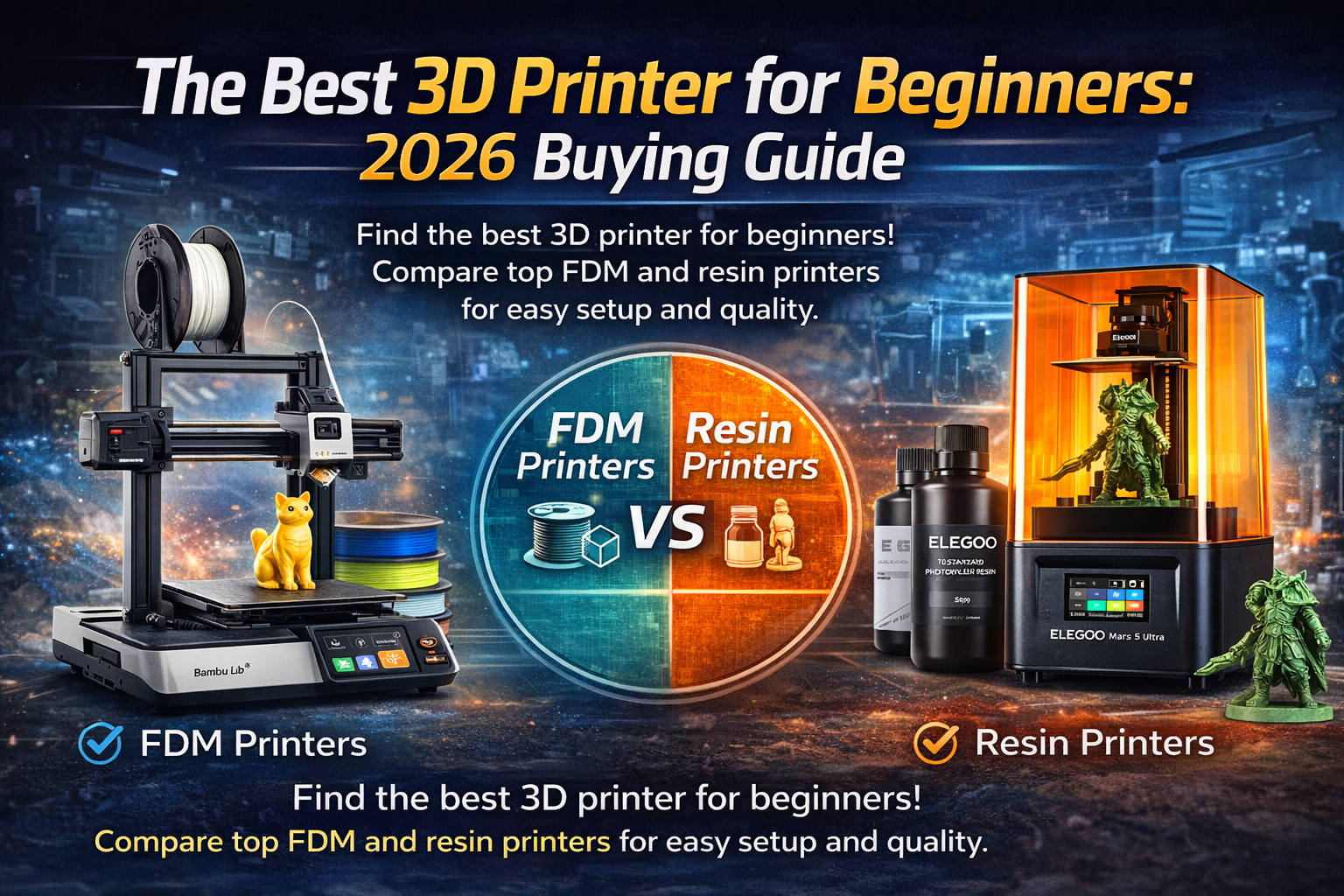
The best 3D printer for beginners is the Bambu Lab A1 mini for FDM printing and the Elegoo Mars 5 Ultra for resin printing. Beginners should look for auto bed leveling, a user-friendly interface, and plug-and-play functionality. These features guarantee a smooth learning curve and excellent print quality right out of the box.
Key Takeaways
- Choose FDM printers like the Bambu Lab A1 for practical daily projects.
- Pick resin printers like the Elegoo Mars 5 Ultra for highly detailed miniatures.
- Prioritize safety features like filament runout detection and power loss recovery.
- Start with Poly Lactic Acid filament for the easiest learning experience.
Who This Is For
This guide helps hobbyists, students, and DIY makers enter the world of additive manufacturing. If you want a simple introduction to making tabletop miniatures or functional parts without dealing with complex extruder calibration, this guide is for you.
Why Start Your 3D Printing Journey Today
Starting a new hobby can feel overwhelming. Additive manufacturing changes how you solve problems at home. You can bring digital designs to life with a few clicks. The process offers incredible educational value. It provides a hands-on STEM experience that teaches basic engineering and 3D modeling skills. You also get to join a thriving community of creators online. Online communities and maker spaces share thousands of free designs every day.
Understanding the Core Choice: FDM vs Resin Printers
Your first major decision involves choosing between two main technologies.
FDM Printers: The User-Friendly Workhorses
Fused Deposition Modeling uses a heated nozzle to melt plastic wire. The machine deposits this melted plastic layer by layer on a print bed. FDM systems are perfect for functional parts, cosplay props, and larger household items. They use simple filament types like Poly Lactic Acid. These machines typically feature an aluminum frame and linear guide rails for stability.
Resin Printers: Precision and Detail
Resin printing uses a UV light source to cure liquid resin. These machines excel at producing incredible detail. They are the top choice for tabletop gaming fans who want to print custom tabletop miniatures. Resin printers use a resin tank and a mono screen to achieve high print accuracy. However, they require careful handling of toxic chemicals and produce a distinct odor.
FDM vs Resin Comparison
| Feature | FDM Printers | Resin Printers |
| Best For | Large functional parts, toys | Highly detailed miniatures, jewelry |
| Material | Spools of plastic filament | Liquid photopolymer resin |
| Ease of Use | Very high | Moderate (requires post-processing) |
| Print Speeds | Fast to moderate | Generally slower for large objects |
| Mess Level | Low | High (requires washing and curing) |
Key Features That Make a 3D Printer Beginner-Friendly
New users need machines that remove the friction of early learning. You should look for specific quality of life features.
Effortless Setup and Auto Calibration
Avoid machines that require manual print bed leveling. Auto bed leveling uses sensors to probe the build platform and adjust for imperfections automatically. Plug-and-play functionality means you spend less time building the machine and more time printing.
Software Simplicity
A user-friendly interface on the machine’s touch screen makes operation simple. Good machines also pair with user-friendly software on your computer. Programs like Ultimaker Cura or custom slicer software help you prepare your test models easily.
Reliable Printing Features
Look for a filament detection system. A filament runout sensor pauses the print if you run out of material. Power loss recovery saves your progress during an unexpected outage. Smart fault detection keeps you safe and prevents wasted materials.
Pros and Cons of Beginner 3D Printing
Pros
- Develops valuable technical and problem-solving skills.
- Allows you to manufacture custom replacement parts at home.
- Provides a highly rewarding and creative outlet.
- Entry-level machines now cost less than standard paper printers.
Cons
- Requires a dedicated physical space and ventilation.
- Learning basic slicer software takes some initial time.
- Failed prints happen and require patience to troubleshoot.
Our Top Picks: The Best 3D Printer for Beginners
We evaluated the market to find machines that offer the best out-of-the-box experience.
Best Overall FDM Printer: Bambu Lab A1 mini
The Bambu Lab A1 mini redefines beginner printing. It offers full automatic bed leveling and vibration compensation. The printer produces outstanding print quality without any tweaking. You can even upgrade it with the AMS Lite for multicolor printing.
Best Budget-Friendly FDM Printer: Creality Ender-3 V3 SE
The Creality Ender-3 V3 SE provides incredible value. It features a simple auto-leveling mechanism and a direct drive extruder. This setup makes loading filament incredibly easy. The machine offers great print speeds for its low price point.
Best Resin Printer for Detail: Elegoo Mars 5 Ultra
The Elegoo Mars 5 Ultra is a fantastic entry point for resin printing. It features a high-resolution mono screen for crisp layer resolution. The smart resin level sensor prevents print failures. It produces flawless tabletop gaming figures with minimal setup.
The Beginner Journey: Unboxing to First Print
The process from opening the box to holding your first object follows a simple path.
Following the Instructions
Take your time unboxing the machine. Remove all packing foam. Check the USB connection and internal memory card. Ensure the power switch matches your local voltage.
Installing Slicer Software
Install the recommended slicer software on your computer. The slicer translates your 3D model into instructions the printer understands. Select your specific printer model in the software settings.
Loading Material
For FDM machines, heat the nozzle using the touch screen. Feed the Poly Lactic Acid into the extruder until melted plastic flows out. For resin machines, carefully pour the liquid into the resin tank up to the fill line.
Your First Print
Always start with the pre-loaded test models on the microSD card. These models are heavily optimized. A successful test print confirms you assembled the hardware correctly.
Common Mistakes Beginners Make
Many new users clean their print bed with the wrong chemicals. You should only use isopropyl alcohol or warm soapy water. Another mistake is ignoring the first layer. You must watch the first layer go down. If the first layer fails, the entire print will fail. Finally, beginners often buy complex materials like Acrylonitrile Butadiene Styrene too early. Stick to simple PLA for your first few months.
Frequently Asked Questions
What is the easiest filament to start with for FDM?
Poly Lactic Acid is the best beginner material. It prints at low temperatures, does not warp easily, and smells slightly sweet.
How much does 3D printing cost beyond the printer?
Standard filament costs about twenty dollars per kilogram. One roll can produce dozens of small household items and fun toys.
What happens if my print fails halfway through?
Modern machines with smart fault detection will stop the print. You simply clear the build plate and try again.
Can I print multiple colors right away?
Yes, systems like the Bambu Lab A1 mini use an AMS Lite unit. This allows you to print four colors automatically.
How important is print quality for a beginner?
Very important. A machine with excellent layer resolution prevents early frustration and keeps you motivated to learn more.
Conclusion
Finding the best 3D printer for beginners comes down to picking a machine that respects your time. You want an auto-leveling bed, an intuitive touch screen, and reliable safety features. Machines like the Bambu Lab A1 mini and the Elegoo Mars 5 Ultra remove the technical hurdles of the past. Start your journey into additive manufacturing today. Pick up a beginner-friendly machine, download a fun model, and watch your creativity take physical shape.